Why reflective film behaves differently under the blade
Reflective film is not cut like standard vinyl. The surface layer is harder, the face stock can be more brittle, and some grades include glass bead or microprismatic structures that resist a straight-through cut. If the blade pressure is too high, you can crush the edge or score the liner. If it is too light, the weed lines break unevenly and the small characters pull up with the waste.
In practical terms, the operator needs to treat reflective media as a controlled process, not a quick run. A clean cut starts with the correct blade angle, a fresh cutting edge and a machine that is properly calibrated. On busy production floors in Isando and Germiston, that means checking the setup before the rush begins, not after the first bad sheet.
Set the cutter for the film, not the other way round
Most problems come from using one default setting for every roll. Reflective film asks for its own pressure, speed and pass count. Slower passes usually give better control, especially on small text, vehicle markings and symbols where the corners must stay sharp. For thicker grades, two lighter passes often work better than one aggressive cut.
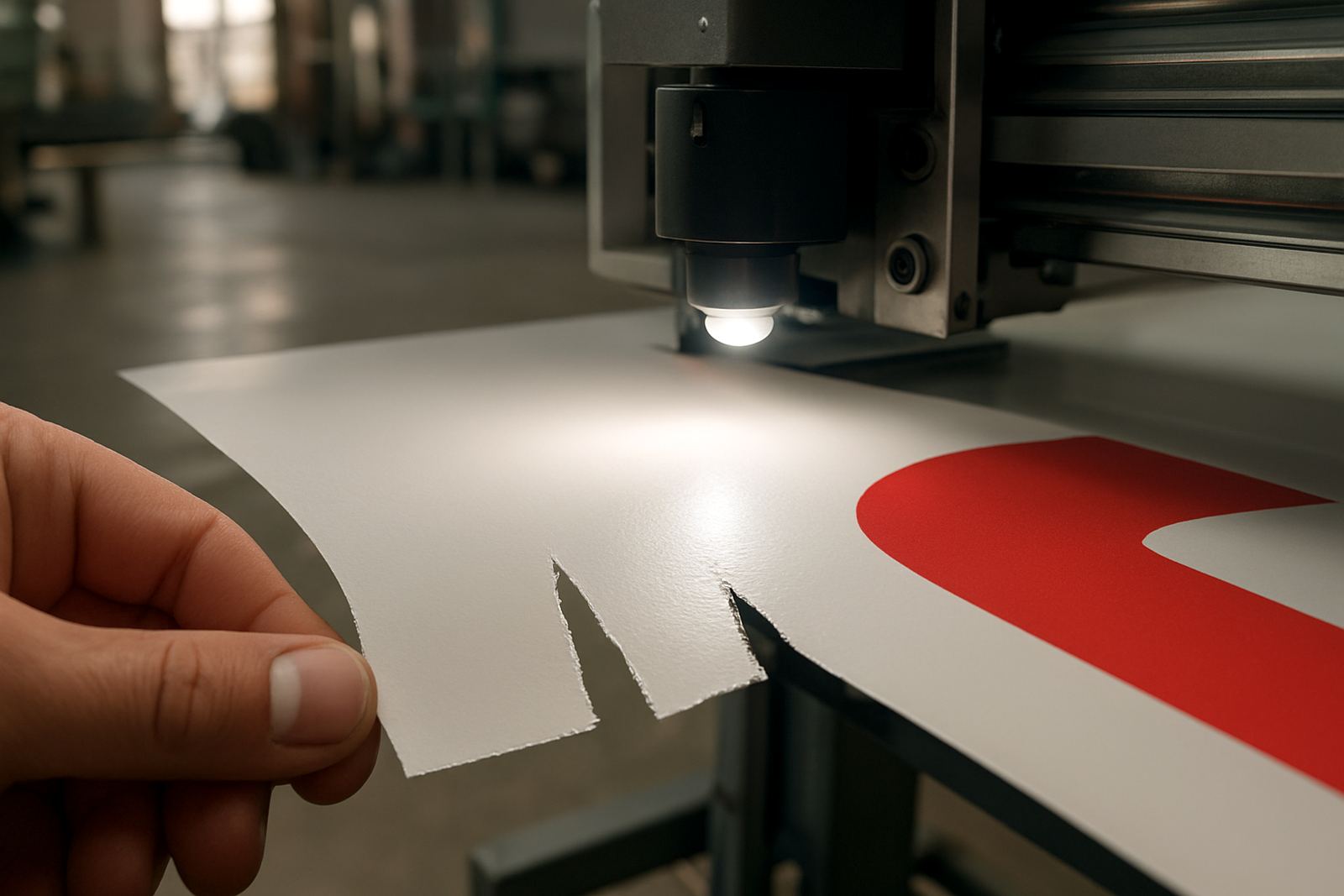
Before starting a production batch, test a short strip and inspect the weed. Look for corner lift, jagged curves, liner marks and drag at the start and end of a line. If the job has tiny registration marks, check that the camera or sensor reads them cleanly without over-correcting. That small step saves material, time and a lot of frustration.
- Use a fresh blade and confirm the blade holder is free of play.
- Reduce speed for small copy and dense vector artwork.
- Test pressure in small steps, not big jumps.
- Confirm cut depth with a weed test, not only by eye.
Artwork that will cut cleanly on reflective stock
Reflective film exposes weak artwork fast. Tiny nodes, doubled paths and overlapping cut lines can leave the machine stuttering at every corner. Before production, the artwork must be converted into proper cut lines with clean vectors and no hidden duplicates. Any unnecessary detail should be removed, because fine serifs and hairline joins are often the first parts to fail.
For signage, fleet markings and safety graphics, simplified artwork usually performs best. Keep spacing generous on small lettering, and avoid shapes that create very tight inner corners. If the design includes multiple colours or layers, check the registration strategy early so the cut and print stay aligned, especially on larger sheets where humidity can change the media size slightly.
- Remove overlapping paths and stray points.
- Expand strokes before sending the file to the cutter.
- Keep text readable at the smallest required size.
- Allow extra space around registration marks and edge trims.
Loading and handling in a South African production room
Reflective film is sensitive to handling, particularly in dry winter air and in warm rooms where the roll can curl. Keep the media flat before loading and avoid leaving freshly cut sheets stacked under heavy weight for too long. On sites in Johannesburg, where power interruptions can happen without warning, operators also need a restart routine so the roll goes back on cleanly after a stoppage.
Static can be an issue, especially when the air is dry and the job involves narrow weeds. A grounded work area, clean pinch rollers and a dust-free feed path all help. If the cutter is near an open loading bay in places like Midrand or Boksburg, give extra attention to grit and fine dust. Even a small speck can throw off a long run.
Common faults and what they usually mean
Most reflective cutting faults show a pattern. Jagged edges often point to speed that is too high or a blade that is worn. Corner lift usually means the cut is slightly too deep, or the material needs a slower pass. If the liner is marked, the pressure is too heavy. If letters are not releasing, the pressure is too light or the artwork still has closed shapes inside closed shapes.
Operators should not guess through a full batch when the first sample is already telling the story. Stop, inspect and correct the setting. A five minute reset can save a whole sheet run. And if the machine starts drifting during a long production day, check the feed path, pinch rollers and calibration before blaming the file.
- Jagged curves: lower speed or replace the blade.
- Lifted corners: reduce pressure and test again.
- Marked liner: back off the cut depth.
- Broken weed lines: check for dull blades and inconsistent feed.
A local example from an Isando production run
A signage team in Gauteng needed reflective name panels for a fleet refresh before a Monday handover. The job included small serial numbers, repeated logos and a few narrow safety symbols. The first test sheet looked fine at a glance, but the weed broke on the smaller characters and two corners lifted during transfer. Rather than push ahead, the operator slowed the cutter, reduced pressure slightly and recut the test. The second pass released cleanly, with no liner scoring and no edge fuzz.
That kind of correction is routine when the machine is set up by someone who understands reflective stock. It is not only about the cutter itself, but also the operator’s eye for detail, the artwork preparation and the handling of the finished sheets. For businesses that work under tight municipal deadlines or have delivery windows across Johannesburg, that extra control matters.
Training that keeps reflective jobs consistent
Reflective film cutting is easier when the team follows a repeatable method. The best production rooms keep notes for each media type, blade setting and typical job size. They also train staff to check registration calibration, media loading and blade pressure before every batch. When a new operator joins the floor, a short induction saves hours of trial and error later.
Contour Cutting supports businesses with operator induction, artwork cut lines, media loading, blade pressure setup, registration calibration, production workflows, maintenance basics, troubleshooting session, remote refresher and supervisor coaching. The aim is simple: cleaner cuts, fewer rejects and a process the team can repeat on the next job, not just this one.