1. Starting Without A Proper Artwork Check
Many costly problems start before the cutter even moves. Artwork that looks fine on screen can still carry hidden issues like missing cut lines, duplicate paths, open vectors or the wrong scale. If the operator sends it straight to production, the machine will cut where it should not, or miss details that matter on labels, decals and contour stickers.
In a fast production room, it is tempting to trust the file as recieved and move on. That shortcut often leads to waste, especially when the order is for a short run and there is no spare media on hand. A quick check of size, outline colour, bleed and registration marks can save the whole job.
- Confirm the final size in millimetres before loading media.
- Check that cut lines are closed paths and set to the correct spot colour.
- Make sure the artwork has enough bleed for trimming and handling.
- Remove hidden objects, overprints and extra layers that can confuse the workflow.
2. Poor Media Handling Before The First Cut
Media loading sounds simple, but it is one of the biggest sources of waste. If the roll is not square, the edge drifts during the job. If the media is dirty, damp or creased, the cutter may track badly and the finish will show lifting corners or uneven edges. This gets worse on humid coastal stock, but even in Johannesburg dust and static can cause trouble.
Operators should never rush the loading stage, even when the day is packed with promo work. A few minutes spent checking tension, edge alignment and feed path can prevent metres of waste. For shops in Isando and Germiston, where same-day turnaround is common, that time is still cheaper than reprinting a full run.
- Store vinyl and laminates flat or upright in a clean dry area.
- Let cold material acclimatise before cutting if it came from a cooler storeroom or vehicle.
- Check roll edges for damage, crushing or telescoping.
- Feed media square and recheck tracking before the job starts.
3. Blade Pressure And Depth Set Too Aggressively
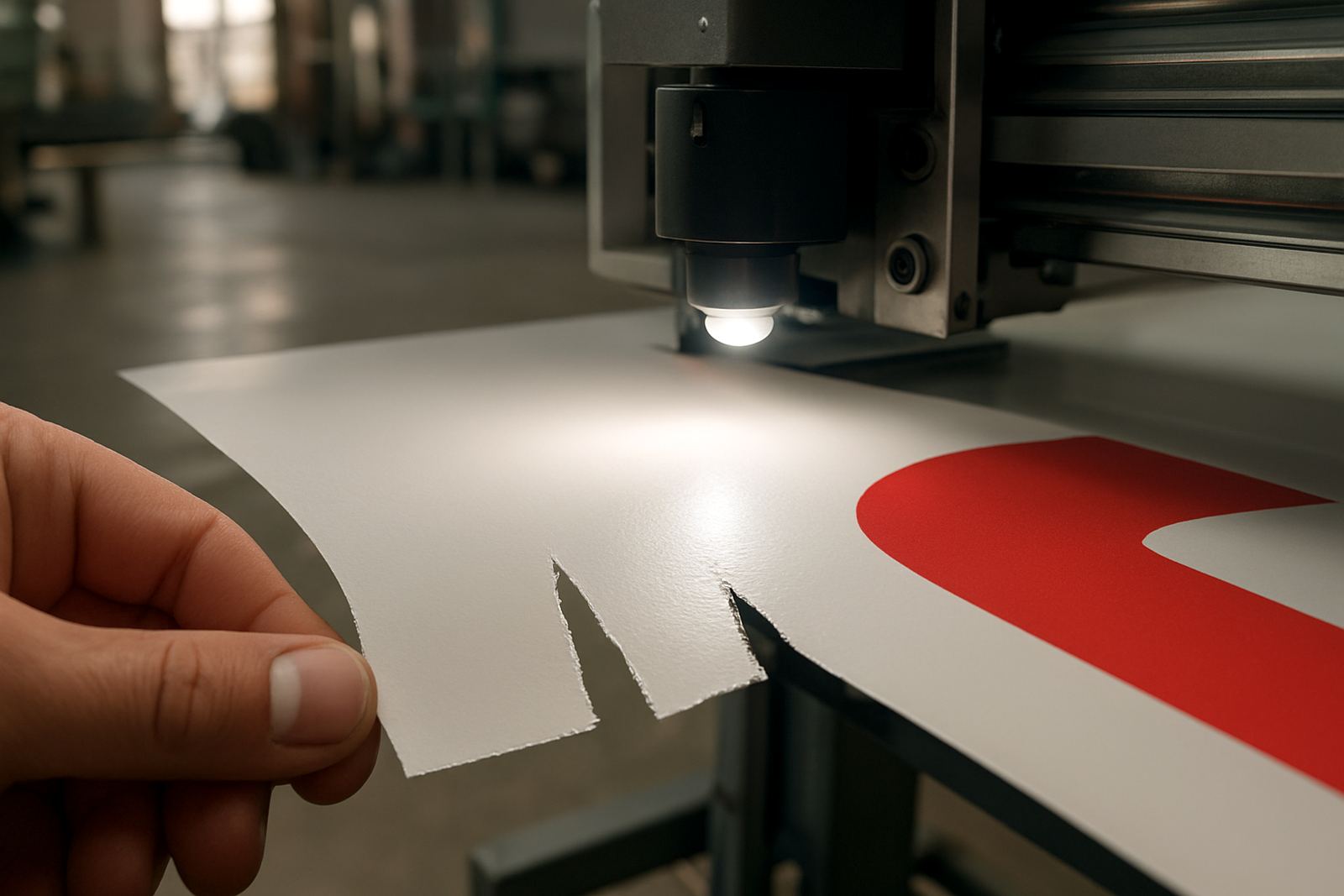
One of the fastest ways to ruin a good substrate is to use too much blade pressure. New operators often assume a deeper cut will give a cleaner finish, but the opposite is often true. Excess pressure can cut through the liner, score the cutting strip and create rough edges that are hard to weed. On thinner films it can also pull the image from the carrier during weeding.
The better approach is to set the blade as lightly as possible while still cutting cleanly through the top layer. That balance changes from one job to the next, so there is no point relying on a single setting for every material. A test cut takes seconds and can prevent a full reel from being spoiled.
- Use the lowest pressure that gives a clean cut.
- Test each new media type before starting production.
- Change blade depth when switching from soft cast vinyl to thicker reflective or laminated stock.
- Replace worn blades before they start tearing fine detail.
4. Ignoring Registration Calibration And Tracking Checks
Print-and-cut work depends on accurate calibration. If registration marks are not read properly, the cutter will drift and the finished shape will sit off centre or clip into the printed image. That is painful on logos, die-cut labels and vehicle stickers where the outline has to follow the print exactly.
Operators often blame the machine when the real problem is a skipped calibration step, a dirty sensor, or a roll that moved during loading. A short calibration before each production batch helps keep the cut aligned. It also reduces the need for manual touch-ups later, which saves labour and keeps the queue moving.
On a recent run for a Sandton client, one shifted mark caused a full sheet to be scrapped because the corners no longer matched the printed shape. The job was not large, but the delay pushed back packing and delivery for the afternoon route. That kind of avoidable hold-up is common in shops that depend on tight turnarounds.
5. Letting Production Workflow Break Down At Changeover
A busy print room can lose a lot of time when operators change jobs without a clear routine. Media gets left in the machine, settings carry over from the previous material, and the next job starts with the wrong blade pressure or cut speed. That creates inconsistent results, even when the files are correct.
Good workflow means every operator follows the same checks at the same stage. It also means the team knows who signs off the setup before production begins. In smaller teams, this is where mistakes creep in because everyone assumes someone else already confirmed the details. A simple checklist at the cutter station keeps things steady.
- Clear the previous job settings before loading the next one.
- Check cut speed, pressure and offset for each media type.
- Confirm the order number, quantity and finish spec before starting.
- Log any material quirks so the next operator knows what changed.
6. Skipping Maintenance Basics Until The Machine Starts Failing
Many operators only think about maintenance when the cutter starts missing lines or making odd noises. By then the damage may already be done. Dust build-up, worn pinch rollers, dull blades and poor cleaning habits all affect finish quality. In a Johannesburg workshop, where power interruptions and load-shedding can interrupt the day, it is even more important to keep machines ready for the next run.
Basic care is not complicated. Keep the cutting area clean, inspect consumables regularly and check that the machine is level and stable. If the shop shuts down after hours, cover the unit properly and keep spare parts in a dry storage area. Regular checks avoid the stop-start pattern that frustrates customers and drains margins.
- Clean dust from the machine daily, especially around sensors and tracks.
- Inspect blade holders and rollers for wear each week.
- Run a test cut after any power interruption.
- Record any recurring fault so it can be traced quickly.
7. Treating Operator Training As A Once-Off Task
Even experienced teams need refresher training. New materials, tighter client deadlines and different finishing requirements can expose gaps in old habits. A cutter operator who learned on basic decals may struggle when the work shifts to fine contour stickers, small type or mixed media production. That is where structured induction and follow-up coaching make a real difference.
The best shops treat training as part of production, not an extra task. When operators understand artwork cut lines, registration calibration, blade setup and troubleshooting, they work faster and waste less. It also helps supervisors spot weak points before they become expensive problems. For businesses across Midrand, Boksburg and Randburg, that consistency is what keeps delivery promises realistic.
Strong operator habits do not happen by accident. They come from repeatable steps, clear responsibility and practical support when a job changes. That is how you protect margins and keep finish quality where customers expect it.