Why a few minutes of cleaning save hours later
Daily cleaning is not about polishing for the sake of it. It is about keeping dust, adhesive, vinyl offcuts and blade residue out of the parts that control movement and cut quality. When that build-up is left to sit, you start seeing rough edges, missed registration marks and blades that seem to wander on fine detail.
In places like Isando, where workshops can pick up fine dust from loading bays and traffic, a quick end-of-day routine makes a real difference. On a humid coastal week or after a power interruption, the machine can also pick up residue faster than expected, so a consistent check is worth more than an occasional deep clean.
Keep the work area clear first, then move to the machine itself. That way you are cleaning the cutter, not pushing debris further inside.
Start with the table, rails and surrounding work area
Before touching the cutter head or blade holder, clear the area around the machine. Trimmed vinyl, transfer tape scraps and backing paper can end up under the feed path and affect tracking. A clean table also makes it easier to spot small issues like lifted material or a loose scrap of backing that could catch during a run.
- Remove loose offcuts from the cutter bed and floor around the machine.
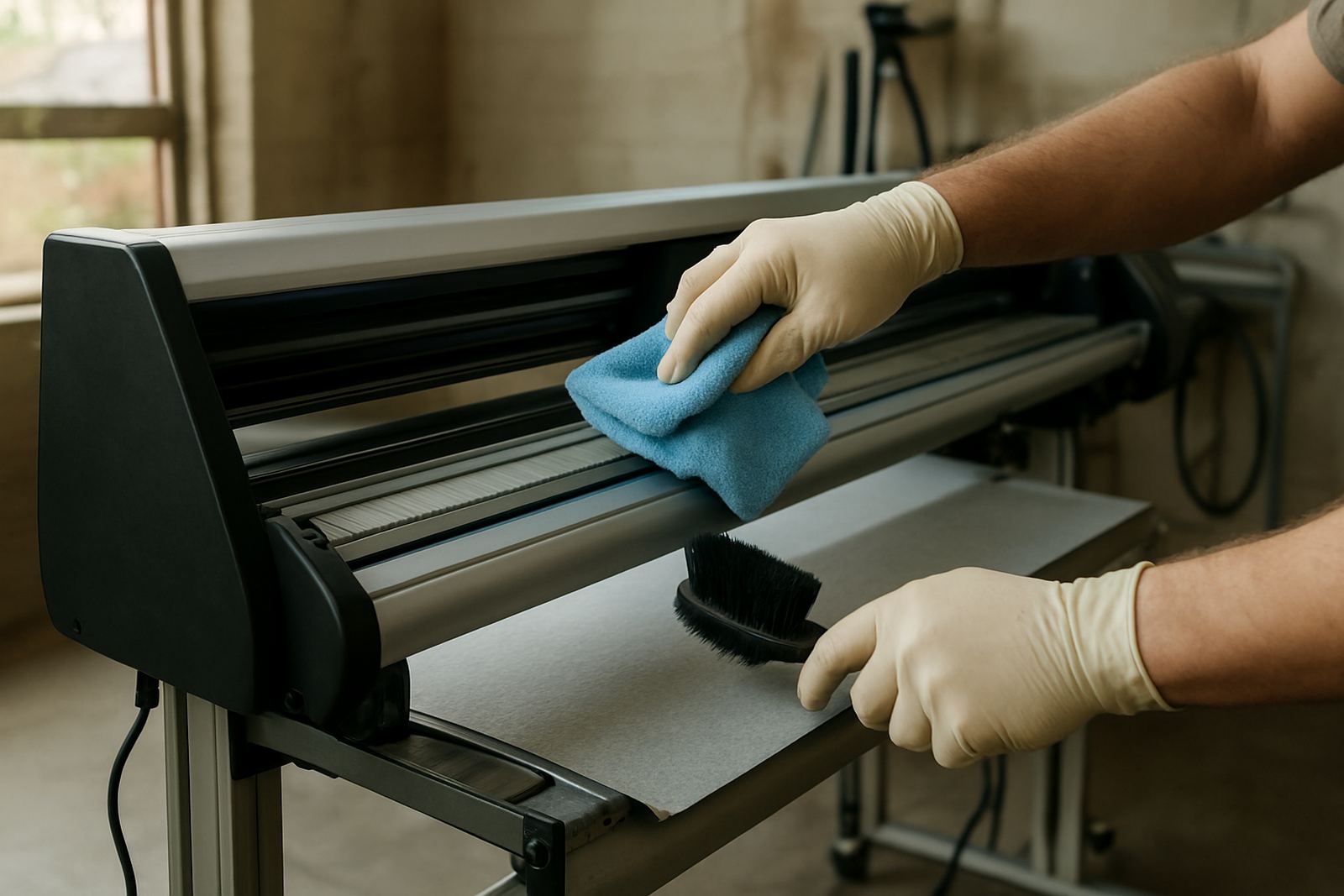
- Wipe the work surface with a dry, lint-free cloth first.
- Use a soft brush to lift dust from rail edges and corners.
- Check that rolls, tools and boxes are not blocking the feed path.
If the workshop shares space with packing, printing or signage assembly, this step is even more important. It only takes one small offcut to slip into the wrong place and throw off a long run.
Clean the blade area without changing the settings
The blade holder, cutter head and surrounding carriage area collect small adhesive particles that can affect the finish. Use a soft cloth or brush to clear this area gently. Do not force cloth fibres into the holder and do not flood the area with liquid cleaner. A light touch is enough.
Try to keep cleaning separate from adjustment. If you are changing blade pressure, offset or holder tension at the same time, you may not know which change fixed the problem. Clean first, then test. That makes fault-finding much easier for the operator and the support team.
- Check the blade tip for debris and remove it carefully.
- Wipe the holder exterior, not the moving parts inside it.
- Inspect for vinyl dust around the carriage and pinch wheel area.
- Make sure the blade turns freely without sticking.
Feed rollers and pinch wheels need daily attention
Feed rollers and pinch wheels are often overlooked, yet they play a major part in straight tracking. If adhesive residue builds up on them, the material can start to slip, skew or lift on longer cuts. That becomes costly when you are cutting multiple sheets or a full roll for a client in Sandton, Midrand or Germiston.
Wipe the rollers with a clean dry cloth and inspect the wheels for grime or worn spots. If you notice a wheel leaving marks on the media, or if the pressure feels uneven across the width, note it for maintenance. It is better to catch that early than wait until the cutter starts pulling sideways.
Do not use strong solvents unless the machine maker specifically allows it. Some cleaners can damage rubber surfaces and shorten the life of the rollers. A plain cloth, patience and regular checking are usually enough.
Simple end-of-day checks for media, dust and static
South African production spaces often deal with a mix of dust, static and changing temperatures, and that can affect how media feeds. End the day by checking the roll or sheets still loaded in the machine. If material is left open overnight, edge curl and dust can lead to poor first cuts the next morning.
- Remove scrap media and backing paper from the machine bed.
- Cover open rolls where possible to limit dust.
- Check whether static is causing fine media to cling to the table.
- Store unused vinyl flat or upright as the material type allows.
If the workshop uses backup power during load-shedding, make sure the cutter is switched off properly and the area is not left in a half-finished state. A clean shut-down helps protect the next shift, and it avoids confusion when production starts again.
A local habit that keeps jobs on schedule in Isando
A practical example: a small signage team in Isando that cuts daily for shopfront lettering can lose time quickly if cleaning is left until Friday. One operator spends five minutes at the start and end of each shift clearing the bed, wiping the rollers and checking the blade area. The result is fewer mis-cuts, less rework and less pressure when urgent orders come in before a client handover.
That habit matters when installs are booked across Johannesburg and further afield. A cutter that tracks properly reduces call-backs, keeps the artwork true and helps the production supervisor plan with confidence. It also makes operator handovers smoother, since the next person starts with a machine that is already ready.
Daily cleaning does not replace service work, but it supports it. When the machine is kept tidy, faults are easier to spot and your technical team can focus on real wear issues rather than avoidable dirt.