Why the first good sheet must become the standard
Label run consistency starts with a simple idea: the first approved sheet becomes the reference for the rest of the job. If the cut line sits 0.5 mm out on the first batch, that error can repeat across hundreds or thousands of labels and waste material before anyone notices. In busy print rooms around Isando, that usually shows up as peeling corners, uneven die lines or labels that do not sit properly on the backing.
The goal is not just a neat first sample. It is repeatable output from sheet to sheet, roll to roll and shift to shift. That means the artwork, cutter settings, media path and operator process must all match the job spec, even when the team changes during a long run.
- Use one approved artwork file for the full batch.
- Keep the same label orientation throughout production.
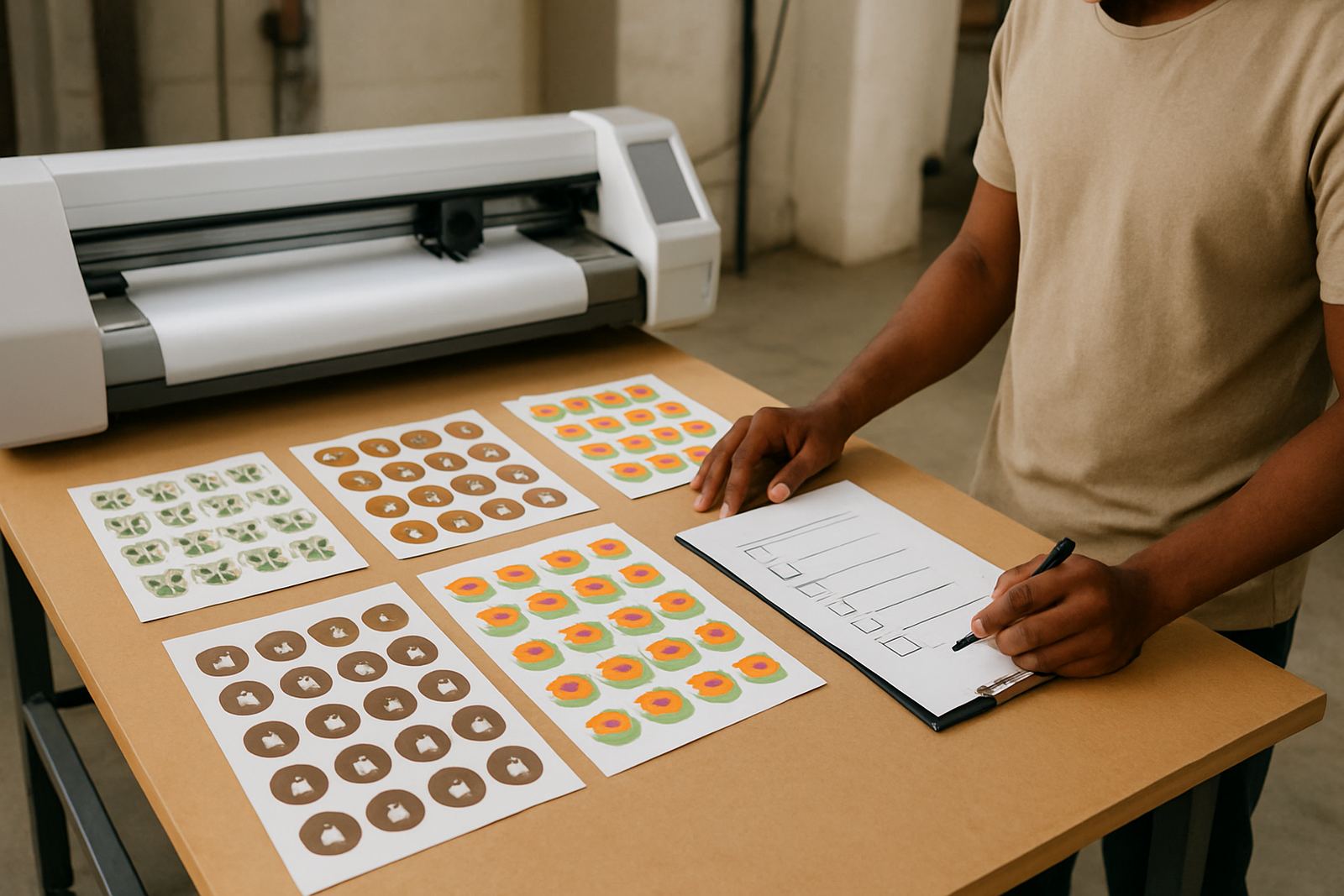
- Check the first five sheets before releasing the run.
- Record settings for the next repeat order.
Set the artwork up for cut control, not guesswork
Many inconsistencies begin before the material reaches the cutter. If the cut lines are not cleanly separated from the print artwork, the operator has to interpret what should happen at the machine. That is where variation creeps in. Artwork cut lines must be checked for closed paths, duplicate objects and tight corners that can snag on detailed labels.
For repeated batches, save the cut file in a way that the operator can find the exact same version every time. Use practical file names, include the substrate type and note the intended cut depth if the job has more than one pass. A small typo in the file name can send the wrong setting to production and the whole run is off.
- Separate print artwork from contour cut lines.
- Remove hidden objects and stray anchor points.
- Set hairline paths only where the cutter must follow them.
- Keep a naming system that includes job, size and substrate.
Media loading must be exact on every shift
Even a very good machine will drift if the media is not loaded consistently. The same roll or sheet must sit square, with even tension and clean edge alignment. On a humid week in Johannesburg or along the coast, media can change shape slightly, which affects tracking and registration. If the operator loads one batch carefully and the next in a rush, the cut position can shift enough to spoil a full carton of labels.
Operator induction should cover the loading method in detail, not just the basics. The point is to make the process repeatable under load shedding, after a shift handover, or when a temporary operator is standing in. A cutter that is fed badly will not fix itself later in the job.
- Check roll edges for damage before loading.
- Align guides to the same mark each time.
- Allow media to acclimatise in hot or damp conditions.
- Recheck tracking after the first test pass.
Blade pressure and registration need a logged setting
Blade pressure is often treated like a quick adjustment, but for label production it should be recorded and reused. Too much pressure can cut through the backing, while too little leaves labels hard to weed and inconsistent at the corners. Registration calibration matters just as much because print and cut must stay in step across the full batch.
For repeat orders, note the exact pressure, speed and registration values, plus any changes made after the first sample. When a job comes back a month later, those notes save time and reduce waste. They also help different team members produce the same result without starting from scratch every time.
- Record blade depth after the first approved setup.
- Save registration marks and calibration notes with the job file.
- Check pressure again if the media batch changes.
- Test corner cuts before releasing long runs.
Production workflows must handle power cuts and handovers
In South Africa, label consistency is not only about machine settings. Load shedding, short notice orders and shift changes all affect the way a run is managed. If a job pauses mid batch, the restart process must be clear so that the next sheet or roll starts in the same position. Without a written workflow, the operator may guess and the run becomes uneven.
A practical workflow keeps the same sequence every time: confirm artwork, load media, calibrate, test, approve and then run. If the machine stops, the team should know whether to repeat the test sheet or continue from the saved point. That small discipline protects margins, especially on high volume label work for Sandton, Midrand and Germiston clients who expect tight turnarounds.
- Keep restart steps near the machine.
- Assign one person to approve the first sample.
- Use the same QC check for every batch, even small ones.
- Document interruptions caused by power cuts or maintenance.
Maintenance basics keep the cut path predictable
Dust, adhesive residue and worn blades all affect consistency. A cutter that has not been cleaned or checked regularly will begin to drift, and the operator may not notice until the labels start to show rough edges. On a large repeat order, that becomes expensive fast. Maintenance basics should be part of the run routine, not an afterthought.
Needle bearings, pinch rollers and cutting strips should be inspected according to use, especially in high volume shops. If the machine is producing labels every day, small wear adds up quickly. In our experience, many batch issues are caused by one overlooked part rather than a major fault, which is why short maintenance habits matter.
- Clean adhesive build up before each shift.
- Replace blunt blades before quality drops.
- Check pinch rollers for flat spots or slipping.
- Inspect the cut strip for grooves that affect depth.
A Germiston repeat order shows why consistency pays
A packaging supplier in Germiston needed repeated batches of product labels for a food service client, with each order split across different weeks. The first job cut well, but the second showed a slight shift on the smaller round labels because the media was loaded by a different operator after a power interruption. The print looked fine, yet the cut was a fraction off and the labels peeled unevenly. That sort of problem is easy to miss until the boxes are ready for dispatch.
After the team reviewed the artwork cut lines, saved the registration settings and added a short handover note for restart procedure, the next batches matched much better. The lesson was simple: consistency comes from repeatable actions, not from luck. Once the process was written down and followed, the waste dropped and the client’s reorders became easier to plan.
When to bring in training support before the next batch
If your team keeps correcting the same label problems, the issue is usually in the process rather than the machine itself. Operator Induction, Blade Pressure Setup, Registration Calibration and Troubleshooting Session support can tighten the workflow and help different staff members produce the same result. For businesses in Isando, Sandton, Midrand, Boksburg or Randburg, that support can happen at base, remotely or on site depending on the job.
Contour Cutting in Isando works with production teams that need dependable results across repeated batches, from small promotional runs to larger label volumes. If consistency has been slipping, it is worth fixing the method before the next order lands.